That was one of the filters that I always use. I’m still new at this. Am enjoying it. AND I had one sit who asked me not to use the car when they knew that I was going to see my son while there. I had to rent through Turo. Thus, I had more costs than expected. So, this is not helping with the savings that I hoped for and how do I screen about a car? Or is being taken off the table?
So there’s a filter that says “sitter may use the car” and you chose it and then when you arrived the host said no car? Sorry just trying to understand as have never seen that. Doesn’t sound fair at all. #insideinfo
You are filtering for hosts who allow use of their car, yet upon arrival you were told you cannot use the car so you were forced to rent one.
If that is the correct interpretation of your post, the answer is that filtering doesn’t always work because people are unpredictable and may change their minds or mistakenly check a wrong box so you need to directly confirm that a vehicle will be available for your use even if the listing says so.
Perhaps point out the discrepancy and the extra expenses to the host and politely request they assist with such costs as they were unexpected and not due to any fault of your own.
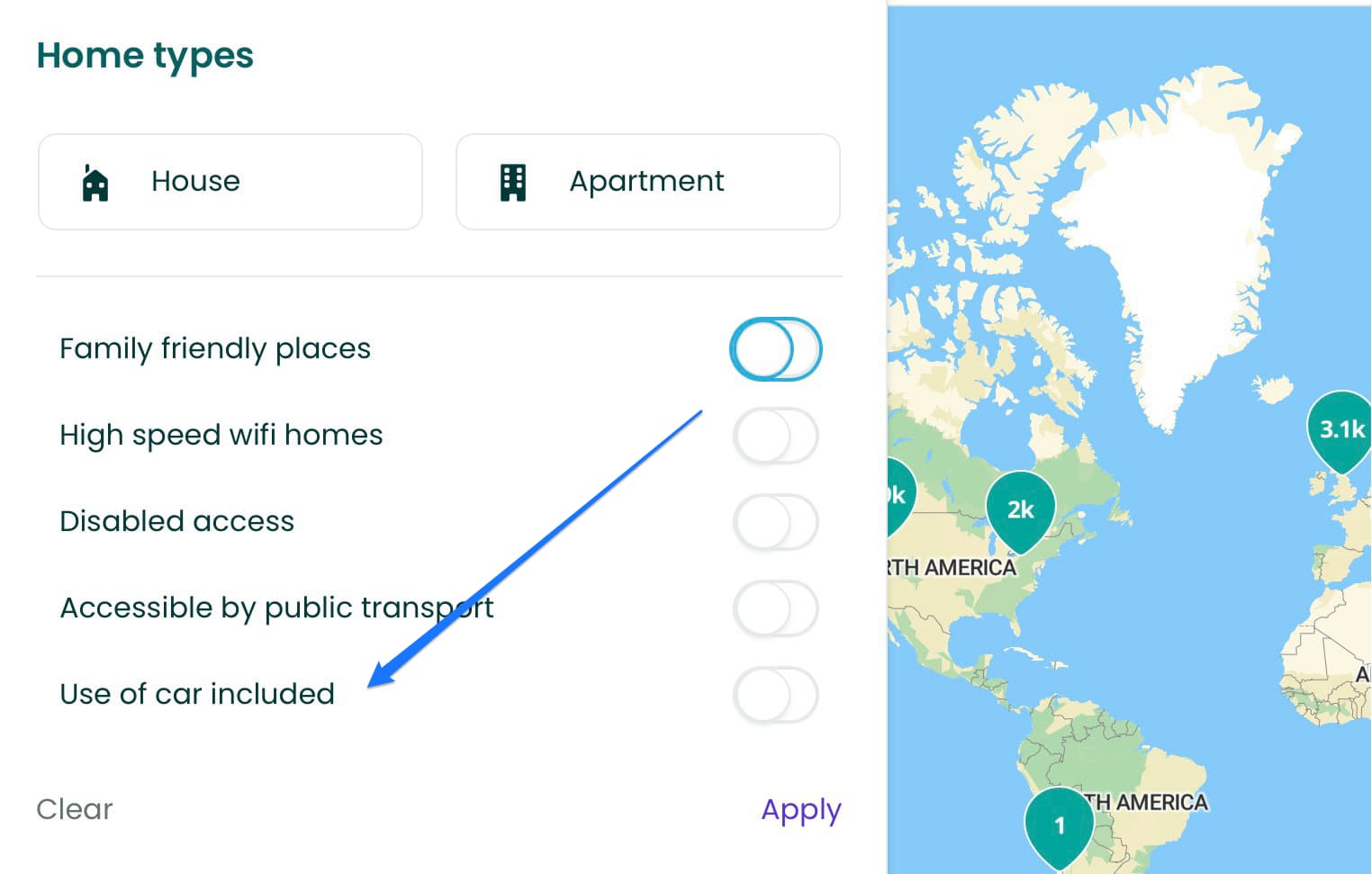
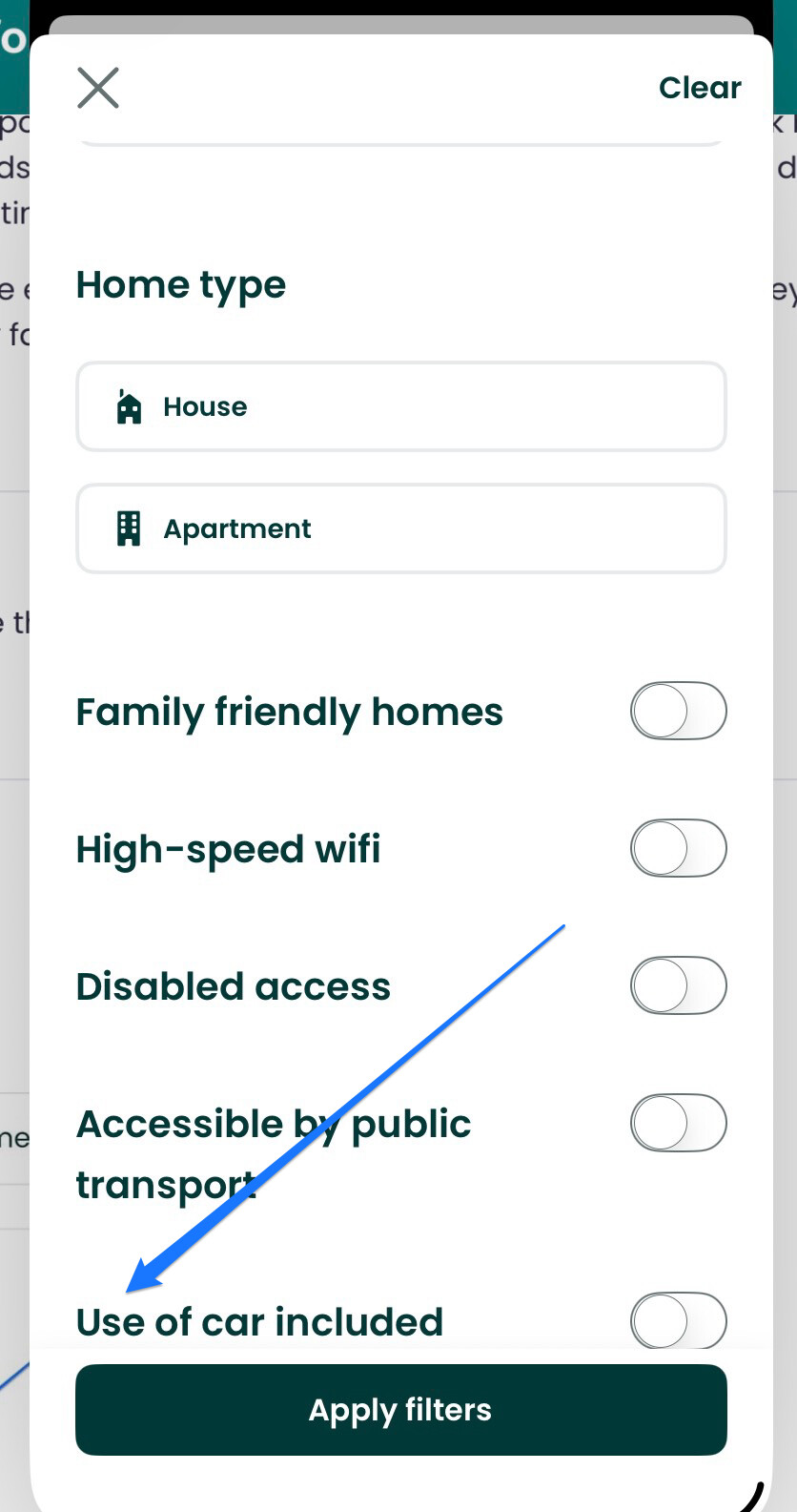
Currently on the App, As a sitter, I dont see the filter for ‘you may use my car’ when I search.
You should confirm with hosts before accepting the sit and discuss details like insurance. Get it in writing and, if they change last minute, cancel and use your fallback plan for the sit, unless you can come to agreement on how they might address the significant change they made.
I’m android. I can see it on mobile web site but not App. I live the USA but I’m trying to look at it from Italy. I updated, logged in/out.

Thanks, @Brightlight
@ExploreDreamDiscover  Find A Sit …. Filter …. Sort By …. Dates …. Pets …. Sit Duration … Local Attractions … Home Type … Family-friendly homes …. High-speed Wi-fi …. Disabled access …. Accessible by public transport …. Use of car included …. Apply Filters
Like I said , it’s not showing. I know where it should be.
@KayCee25, fabulous to hear that you’re enjoying it.
Like @Cuttlefish and @idocsteve, we don’t understand if car was promised then removed. If so, that’s bad form. Suggest clearly agree any important topics before confirm sit. If we deem pet parent offered car to be dealbreaker then we will not confirm sit until they’ve spoken with their car insurance company and ensured ok.
Also, suggest caution in use of the ‘use of car included’ filter. we’ve come across listings that stated ‘sitters can use your car’ in amenities but did not have ‘use of car included’ selected. Suspect unrelated inputs by pet parent. Also, where we come across an attractive housesit that we would only consider if a car were included (e.g. rural UK location) then we sometimes submit application and politely ask about possibility to use pet parent car (and note our driving experience/history/licenses). Sometimes, not always, pet parents have not even considered permitting use of car and quickly respond positively.
@ExploreDreamDiscover in that case perhaps log out, delete and reload the app …. On my devices, iPad iPhone and laptop, it’s exactly where it “should” be.
Good luck 
It’s appearing on iOS but not android .
I’m on android, using the website, and I have the filter.
It’s most likely because I’m not in my home country, I see it on the mobile site. I’ll be home Saturday and will see then. 
I just mentioned this to i dont see it anymore.
I dont see it on mine either.
They probably messed something up on the Android app. Each app/operating system has to be built and maintained separately. THS is not especially good with apps. Better to use the website.
Generally, anytime something is amiss — if you prefer to use the app — check the website and see whether it has the same issue. Usually the website is working better than the apps.
Personally, I never use the app unless I’m check to see whether the host has missing reviews — that’s the only thing that the website lacks vs. the app.